
Playlists & Favorites: Custom Warmup Sets
How to build custom audio playlists from Styles backing tracks. Discover curated sets like Shower Singing and On-the-Go, and bookmark favorites with the Heart icon.
When you are getting ready for a rehearsal, driving to an audition, or warming up in the shower, you do not want to hunt for individual tracks or interact with a screen between every key change.
Playlists and Favorites in Time to Sing allow you to group your favorite backing tracks from the Styles section into seamless, hands-free audio sets.
Custom Rehearsal Playlists
Tap the Heart icon on any exercise to add it directly to your playlist and arrange customized warm-up routines.
What Goes Into Playlists?
Playlists in the Playlists tab are built exclusively from the audio backing tracks (playbacks) of the Styles curriculum (Pop, Musical, and Classical).
Remember:
- In each track, the coach sings only the first phrase to establish the pattern, and then leaves you to sing over the backing track.
- There is no real-time pitch tracking or scoring here — it is a pure listening and singing experience.
Curated Coach Playlists
Time to Sing comes with ready-to-use curated playlists designed for real-world singing scenarios:
- Shower Singing (Dusch-Warm-up): An easy, resonant routine designed for singing in acoustic bathroom spaces where natural reverberation supports vocal fold release.
- On-the-Go (Auto-Warm-up): Gentle intervals and forward-placement drills you can sing along to in the car, on a walk, or while traveling to a rehearsal.
- Sofa Session: Relaxed, low-effort vocal exercises to release end-of-day jaw and laryngeal tension without vocal fatigue.
All curated playlists appear directly on the horizontal playlist rail at the top of the Playlists screen.
Favoriting Tracks in One Tap (❤️)
Whenever you are practicing in the Styles section and find a backing track that feels particularly effective for your voice, you can bookmark it immediately:
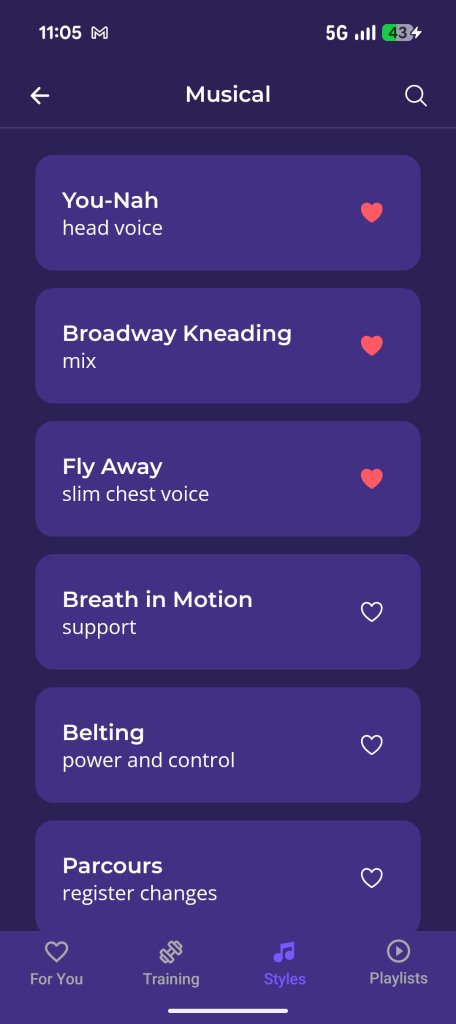
List View Bookmark
Tap the heart on any exercise card.
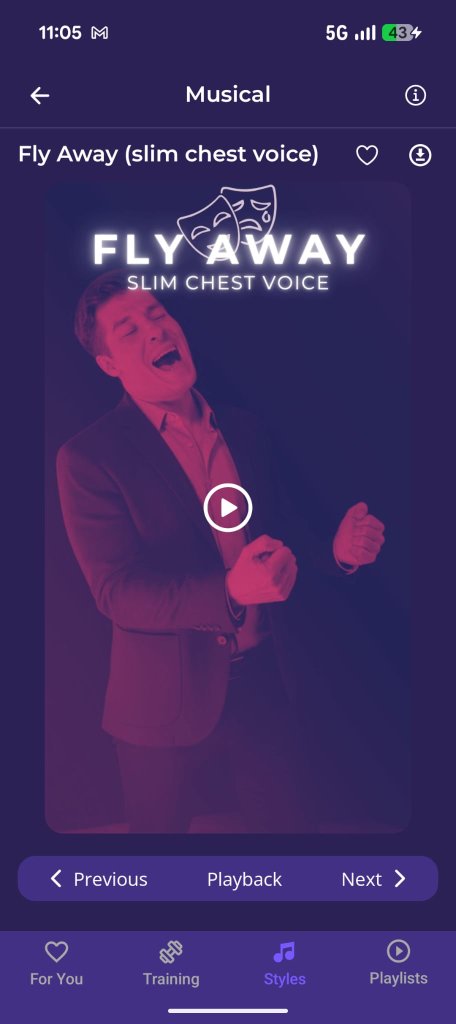
In-Player Bookmark
Save to favorites right inside the exercise screen.
Favoriting Exercises
Heart any track from the list or within the player to sync it to your Favorites tab.
- Tap the Heart icon (❤️) either directly in the exercise list or on the exercise player screen.
- The track's audio backing track is instantly added to your Favorites.
- In the Playlists tab, your Favorites card sits prominently on the playlist rail, giving you one-tap access to your core warmups anytime.
Creating Your Own Playlists
Beyond the curated sets, you can assemble custom playlists for your personal needs:
- Pre-Show Warmup: Pick 4 to 6 backing tracks from Pop or Musical styles that take you from gentle warm-up to your full singing voice.
- Reordering Tracks: Drag tracks in your queue to set the exact order you want to sing.
- Continuous Playback: Tap play on the first track, put on your headphones, and let the playlist run. The app automatically transitions from one backing track to the next without requiring you to touch the screen.