
Offline Mode: Downloading Exercises for Rehearsals & Travel
How to download Training exercises and Styles backing tracks for 100% offline practice. Rehearse in basement studios, airplanes, and venues without Wi-Fi.
Singers frequently rehearse in spaces where cellular data drops to zero: soundproof rehearsal booths, underground theatre basements, concrete backstage tunnels, or airplanes on tour.
With Time to Sing, you do not need an active internet connection to practice. You can download both interactive Training exercises and Styles video/audio backing tracks directly to your device and practice anywhere with zero buffering.
Full Offline Storage for Backstage Practice
Download audio, video lessons, and piano roll data directly to your device for practice in basements, rehearsal rooms, or on planes.
1. Downloading Interactive Exercises in Training
In the Training tab (Voice Tuner), downloaded exercises include both the high-quality audio track and the interactive MIDI note data. This ensures the scrolling Piano Roll, live pitch tracking ribbon, and cent evaluation work completely offline.
Here is the step-by-step process:
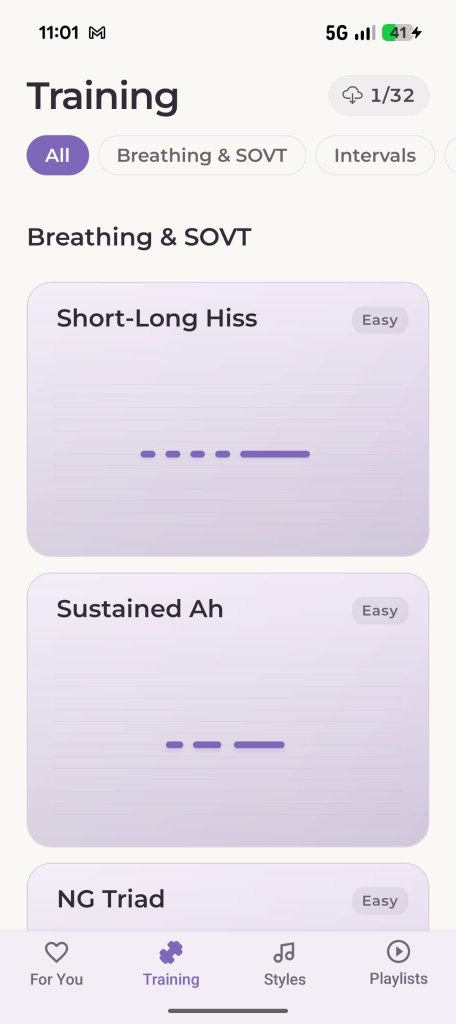
1. Tap the Cloud Counter
In the top right, tap the pill showing available downloads.
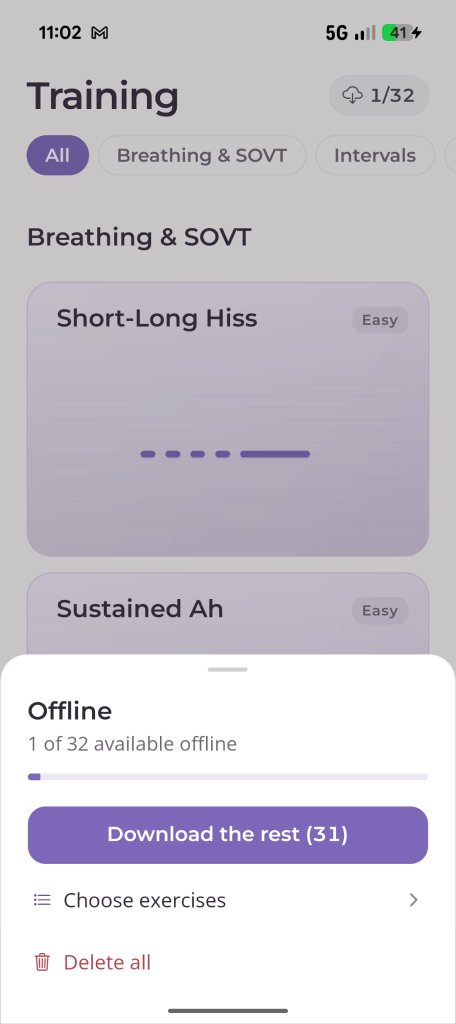
2. Open the Offline Sheet
Tap Download the rest or Choose exercises.
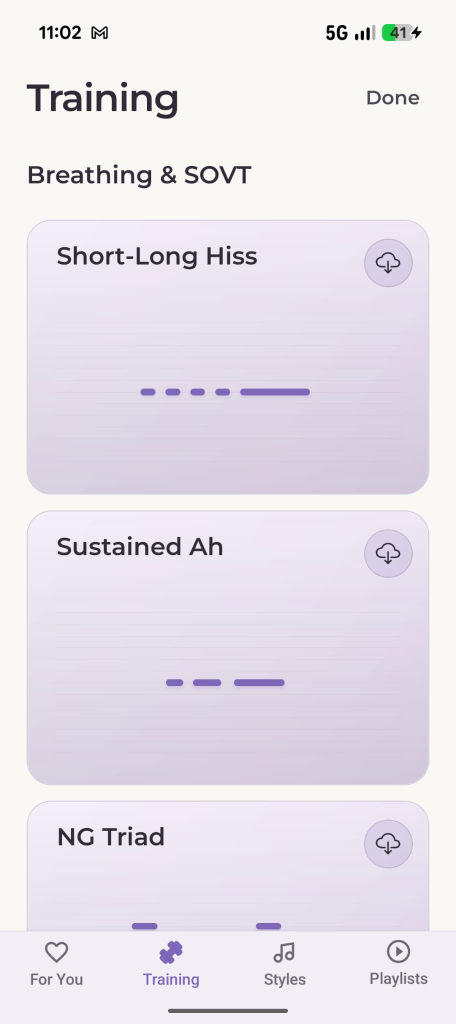
3. Select & Tap Done
Tap the cloud icon on cards you want locally, then tap Done.
Downloading Training Exercises
Download individual routines or cache your entire vocal catalogue in one tap.
Batch vs. Individual Downloads
- Download Everything in One Tap: Inside the bottom sheet, tap Download the rest. The app queues up all remaining exercises for your voice type and downloads them in sequence.
- Selective Downloads: Tap Choose exercises if you only want specific categories (such as Breathing & SOVT or Intervals). Tap the cloud icon on each exercise card, and tap Done in the top right when you are finished.
- Reclaiming Storage: If you ever need to free up storage space on your phone, open the same sheet and tap Delete all. Your practice streak and personal high scores remain untouched.
2. Downloading Video Lessons & Backing Tracks in Styles
In the Styles section, you can cache both the coach's video demonstration and the full instrumental backing track (playback) directly into device memory:
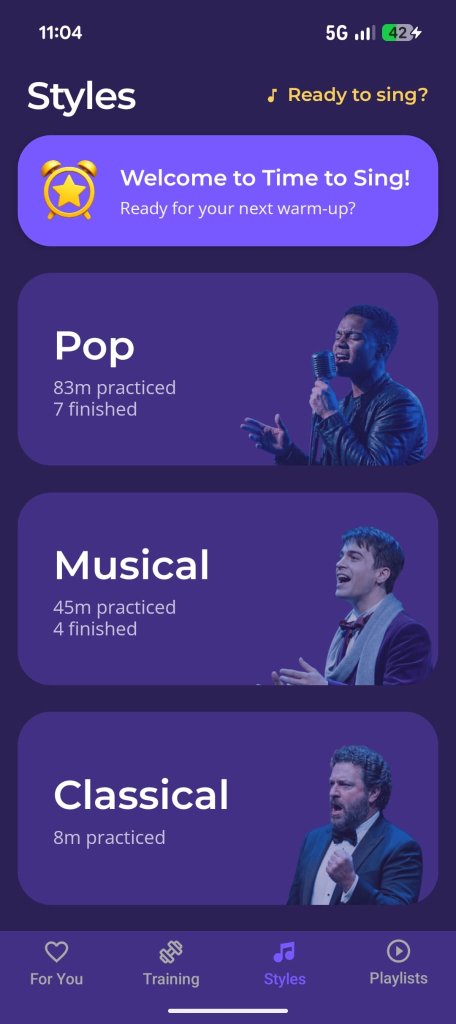
1. Choose a Vocal Style
Open the Styles tab and tap a genre.
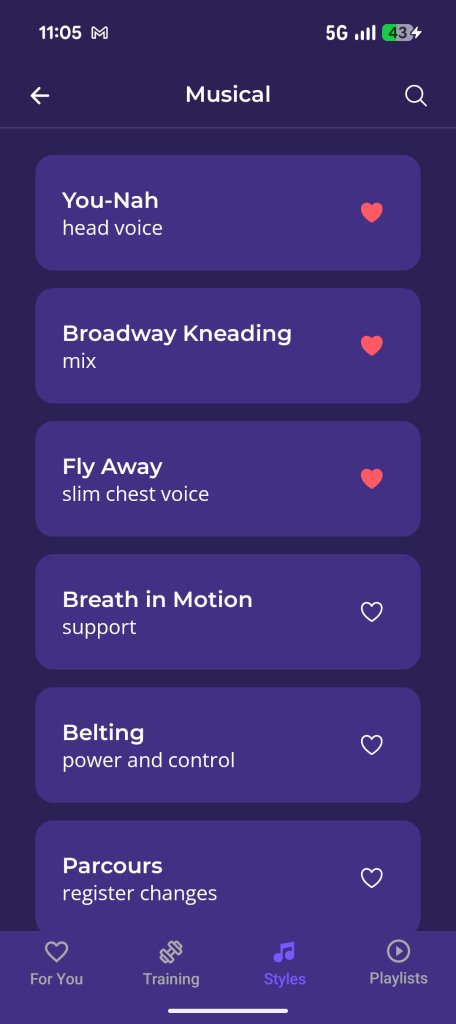
2. Pick an Exercise
Select any exercise from the list to open its player.
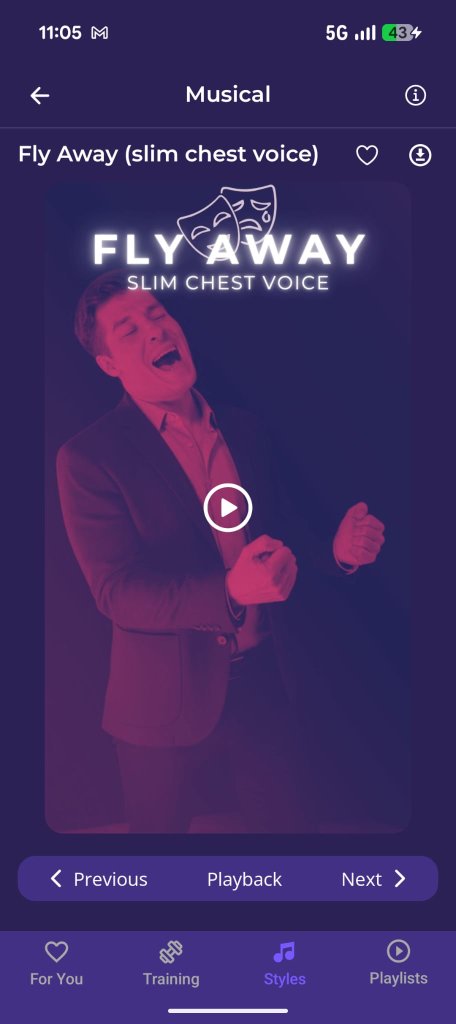
3. Tap the Download Icon
Tap the circled arrow (↓) in the top-right corner.
Saving Styles Video & Accompaniment
Download coach video guides and accompaniment audio for offline rehearsals.
Managing Styles Media
- Download: Tapping the circled arrow icon (↓) downloads both the video tutorial and the accompaniment track to your device.
- Delete / Free Space: Tapping the download icon again gives you the option to remove the media file from your phone storage while preserving your practice notes and favorite status.
What Happens When You Go Completely Offline?
When you open the app in airplane mode or in an underground dressing room without cellular signal:
- Automatic Offline Mode: The app detects that you are offline and automatically switches the library to show your cached exercises.
- Zero Buffering: Tapping any downloaded exercise starts immediately without spinning loaders.
- Local Progress Tracking: Your practice time, repetitions, and accuracy scores are recorded locally and will automatically sync with your cloud profile the moment you reconnect to Wi-Fi.